Ship accessible code by default
Not after audits or rework.
Detect, fix, and validate accessibility issues directly in your editor with AI — before your code reaches production.
Works on VS Code, Windsurf, Cursor, and compatible IDEs
Start free with 150 credits per month · No API keys to configure

What it does
Detect, fix, and validate accessibility issues where code gets written
A11yResolver helps developers move from accessibility findings to working fixes directly in VS Code — with AI-assisted remediation and real-browser validation built into the workflow.
Validate fixes in a real browser, not just in static code
A11yResolver can test changes through real browser interaction, including keyboard navigation, focus behavior, dynamic states, and UI patterns that static analysis often misses.
- Keyboard navigation simulation
- Focus management checks
- Dynamic ARIA/state validation
- Runtime issues beyond static scanning
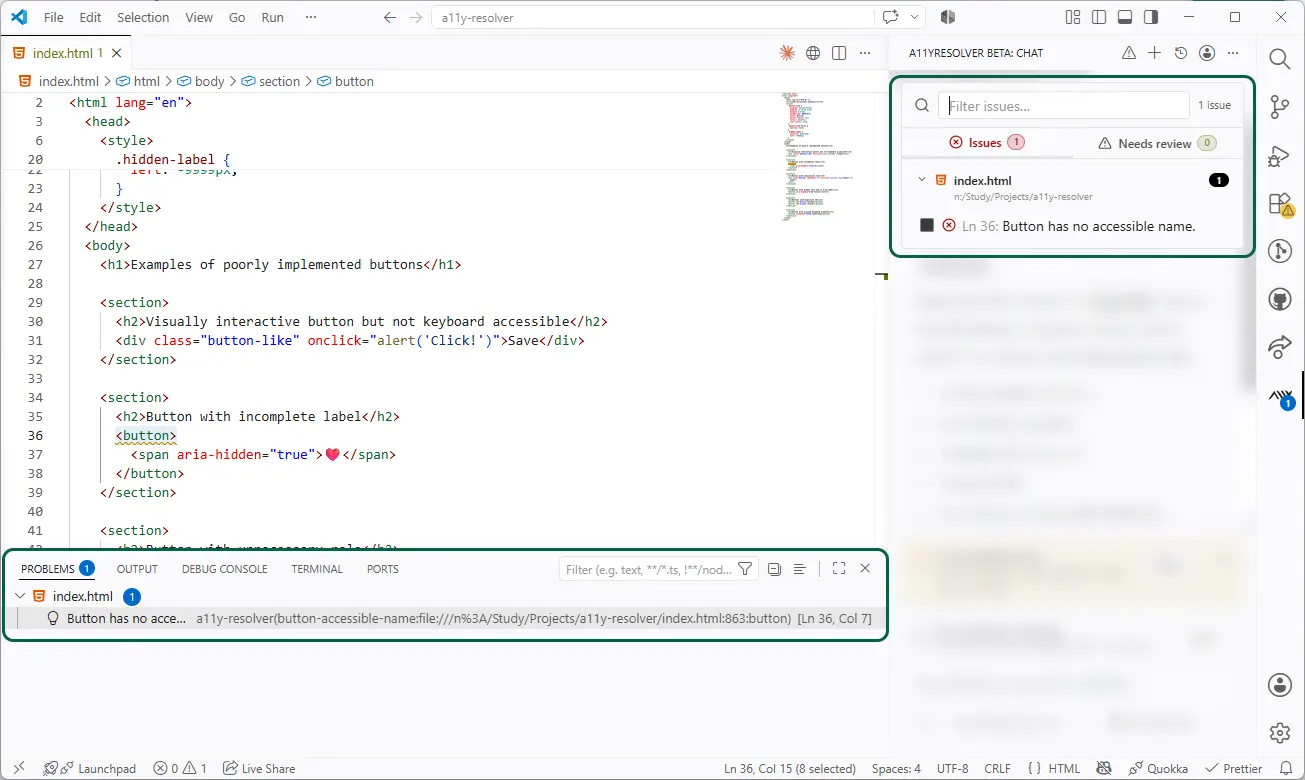
Detect issues and apply code-aware fixes
Find accessibility issues in context and let the agent propose or apply targeted code changes across components, patterns, and files.
Example
Missing accessible name → adds label while preserving component behavior.
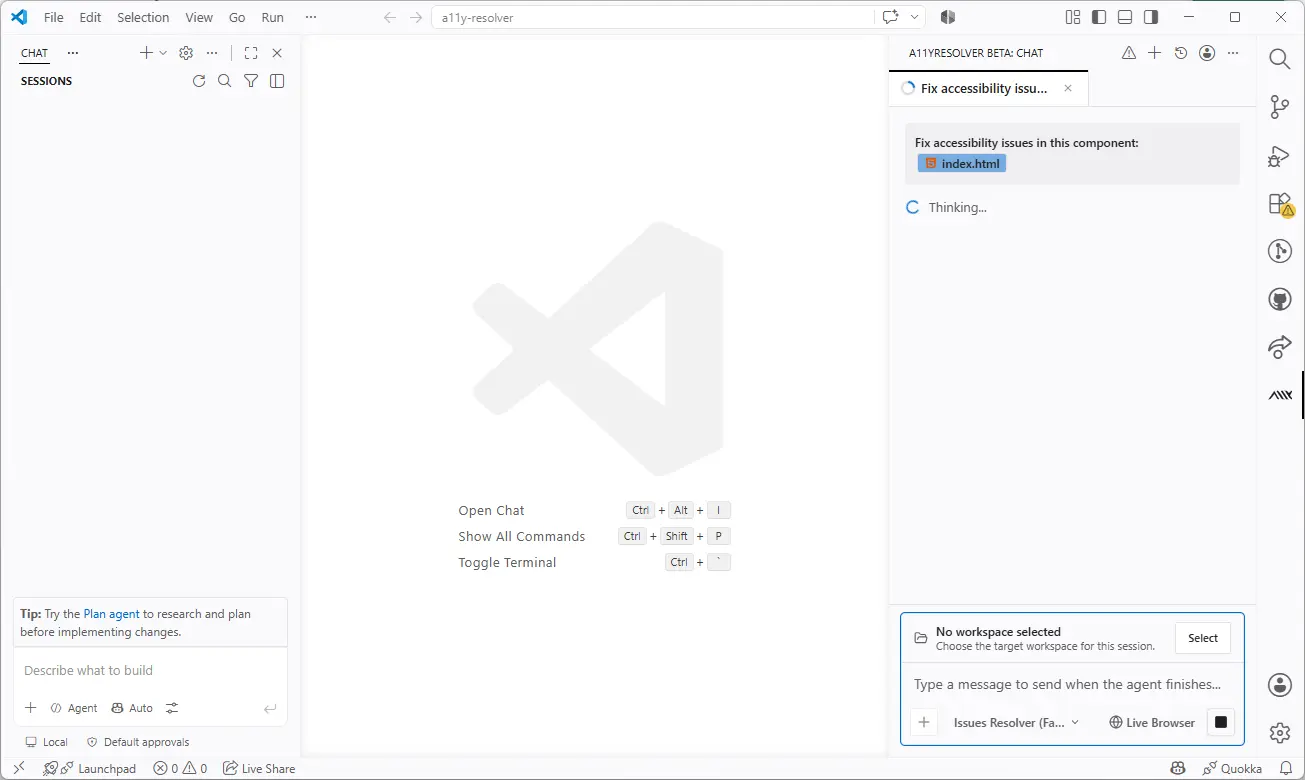
Remediate through a conversational agent
Ask the agent to explain, adjust, or apply a fix. Developers can guide the remediation instead of manually searching through the codebase.
Example
Not sure about a WCAG criterion → the agent explains it in context.
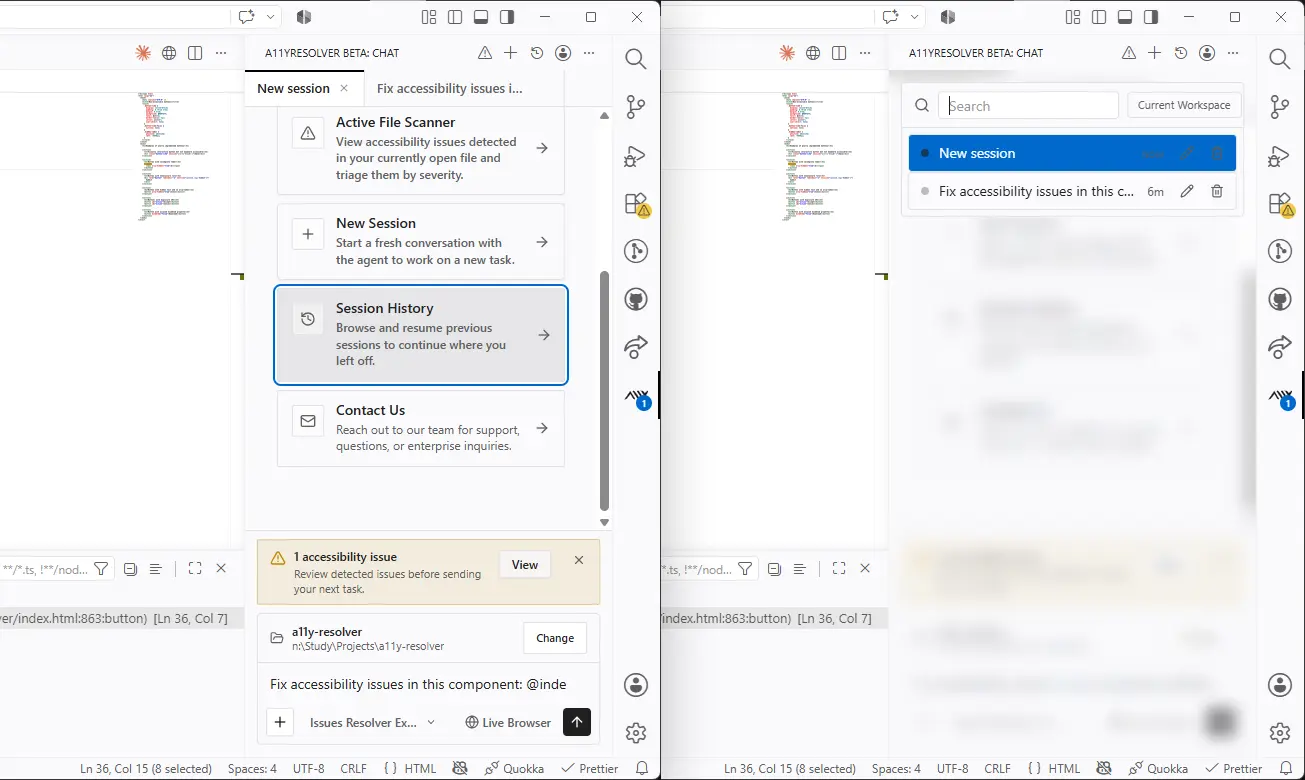
Keep context while you work
A11yResolver remembers the active session so developers can continue across related issues without restarting the investigation.
Example
Switch to another file → the session keeps its context.
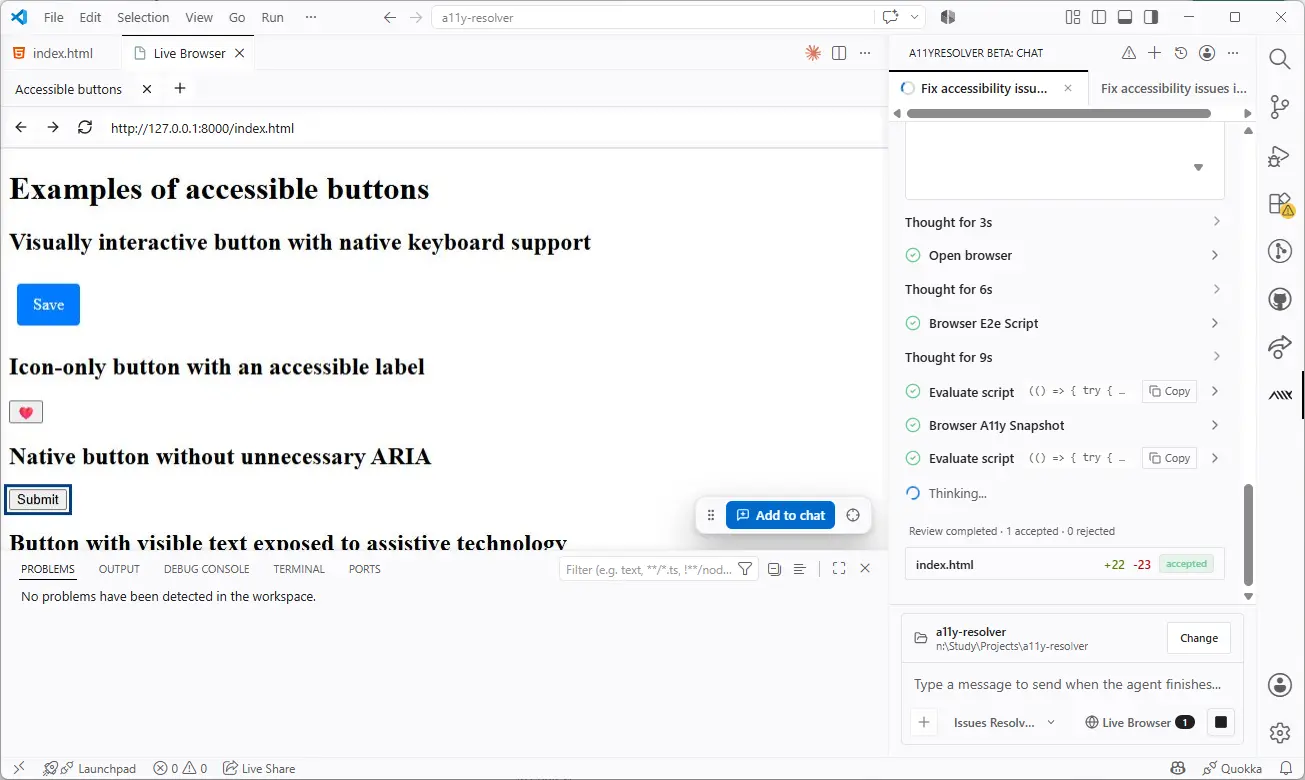
Browser validation
The hidden superpower: validate accessibility through real interaction
This helps teams catch issues that only appear during actual interaction — not just in static code review.
- Simulate real keyboard navigation
- Test dynamic and stateful UI behavior
- Catch runtime accessibility issues that pure static tools miss
1-command example
Fix accessibility issues automatically with a single command
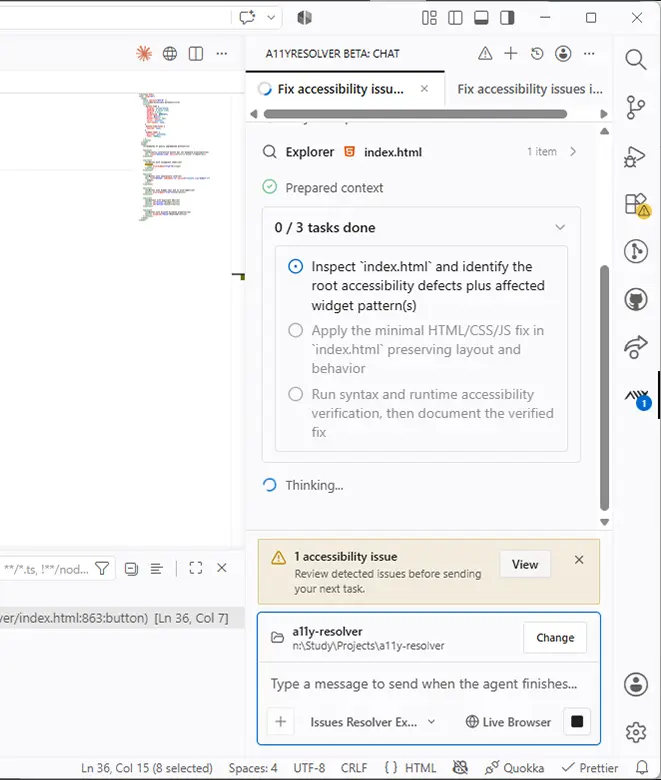
Changes applied
- Unlabeled icon button
- Input without label
- Modal without focus trap
Why it matters
Accessibility issues are expensive when they surface late
Most accessibility issues surface late — after development, during audits, or post-launch — causing expensive rework, delayed releases, failed compliance audits, and legal or reputational risk.
A11yResolver prevents this by making accessibility part of your daily workflow. Accessibility is no longer a final step — it's built in from the start.
Unlike traditional accessibility tools that only scan and suggest, A11yResolver actively fixes and validates issues — including real-browser interaction.
Late discovery (status quo)
- Issues found during QA or audit
- Developer re-opens completed work
- Sprint velocity impacted
- Compliance gaps delay releases
- Rework compounds technical debt
Built-in workflow (A11yResolver)
- Issues caught in the editor, before commit
- Fixes applied automatically in context
- No disruption to development flow
- Compliance built in from the start
- Validated with real browser interaction
Real impact
50–70% faster resolution, from day one
From an experienced accessibility developer: the biggest gain isn't just writing the fix — it's understanding context faster, locating where to change, and cutting research time down significantly.
Clear issue
- Manual
- 10 – 40 min
- With Resolver
- 5 – 15 min
- Time saved
- 50–70%
New project / low context
- Manual
- 30 min – 1.5 h
- With Resolver
- 10 – 35 min
- Time saved
- 50–70%
Parallel sessions multiply the impact
Because A11yResolver lets you work on 2, 3, or 4 issues simultaneously — across the same session or multiple sessions — the real productivity gain goes well beyond the per-issue numbers.
Benchmark
Measured on A11YBench
Preliminary results
A11YBench is a public benchmark of 60 real open-source web projects (147 pages, 8,886 violations) detected by the IBM Equal Access Accessibility Checker, published alongside the A11YRepair paper (ASE 2026).
A11yResolver on A11YBench (n = 6 repositories)Violations resolved by the agent, measured with the benchmark's own checker
- Violations resolved
- 98.7%
- Weighted across all measured repositories
- Repositories resolved 100%
- 3
- 3 of 6 measured, with zero violations left
- Violations processed
- 959
- 12 remaining after the run
- Repositories measured
- 6
- Of the 60 in A11YBench
Published reference
A11YRepair (ASE 2026) reports 76.8% of violations resolved across all 60 repositories. Our figure is measured on 6 of 60 repositories, so the two are not a like-for-like comparison.
Coverage
- Frameworks
- Gatsby
- Next.js
- Astro
- Docusaurus
- Hugo
- The 6 repositories measured
- microsoft/
TypeScript-Website · Gatsby - tailwindlabs/
tailwindcss.com · Next.js - shorebirdtech/
website · Astro - facebook/
relay · Docusaurus - AykutSarac/
jsoncrack.com · Next.js - twitter/
opensource-website · Hugo
- microsoft/
Checker: IBM Equal Access Accessibility Checker 4.0.9, rule archive 2025-09-03. Measured on 6 of 60 repositories; 34 of the 60 install and can be measured reliably. Internal runs in isolated containers, October 2026. A11YBench dataset on Hugging Face(opens in a new tab)
Getting started
Quick and simple to set up
Install the extension
Find A11yResolver in the VS Code Extension Marketplace and install it with one click.
Open in MarketplaceOpen the A11yResolver panel
Access the agent panel from the VS Code sidebar once installation is complete.
Sign in and start free
Sign in from the extension and get 150 free credits per month.
Start fixing accessibility instantly
Run the agent on any component or file and get issues detected, fixed, and validated in seconds.
Agents
Choose the right mode for the job
Issues Resolver Fast
Best for everyday fixes, quick iteration, and lower cost. Handles the majority of common accessibility issues efficiently.
- Missing labels and alt text
- Non-semantic buttons and links
- Form field associations and validation messages
- Basic keyboard support and tab order
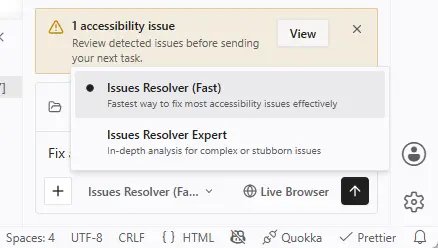
Issues Resolver Expert
Best for complex issues, deeper analysis, and stubborn problems. Uses more reasoning power to tackle edge cases.
- Modal dialogs and focus traps
- Dynamic ARIA states and live regions
- Complex React components and multi-step flows
- Custom widgets with composite keyboard patterns
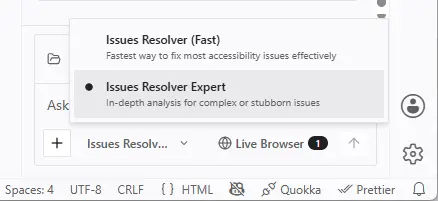
Tip: Start with Fast. Switch to Expert when you need more reasoning power.
Start free. Scale with credits.
Every scan, fix, and validation uses credits. Pick the plan that fits your workload and top up whenever you need more.
Free
Try the agent on your own code.
$0150 credits per month · up to 30 per day
Install extension →Includes- 150 credits per month
- Up to 30 credits per day
- Fast agent for everyday fixes
- Most popular
Starter
For developers fixing accessibility every day.
$19/mo600 credits per month · no daily limit
Install extension →Everything in Free, plus- 600 credits per month
- No daily credit limit
- Fast and Expert agents for complex issues
Credit top-up
Need more? Add credits to your Starter plan.
$30one-time1,000 credits · valid for a year
Install extension →Includes- 1,000 extra credits
- Valid for a year from purchase
- Uses your plan's agents
- Requires a Starter plan
Enterprise
For organizations rolling out at scale.
CustomTailored to your team
Contact sales →Includes- Custom credit volume
- Dedicated support
- All agents
Notes
Requirements and practical details
A valid A11ySolutions account is required to use AI features.
Built by accessibility experts with real-world WCAG audit and remediation experience across enterprise projects.
Some tasks can run in the extension's internal browser. To use that capability, Google Chrome must be installed on your machine.
Compatibility
Works with your environment
- Windows x64
- macOS Apple Silicon
- macOS Intel
Support for additional platforms may be added in future releases.
Privacy & data
Built on infrastructure you can trust
A11ySolutions runs the AI infrastructure for A11yResolver, so you do not need to bring or configure any third-party API key. We do not store the code or prompts you send through the extension.
Deployed on Cloudflare
Requests are served from Cloudflare's edge network, with TLS-encrypted transport, DDoS protection, and traffic isolation built into the platform.
Authenticated with Amazon Cognito
Sign-in to the extension is handled by Amazon Cognito. Your credentials never reach A11ySolutions servers directly — only the scoped access token issued by Cognito does.
We do not store your user data
Code and prompts are processed for the lifetime of the request and discarded immediately afterwards. We do not retain source files, file paths, or personal identifiers for training, telemetry, or analytics.
Our accessibility expertise has contributed to projects for teams at…






FAQs
Frequently asked questions
A11yResolver is an AI-powered accessibility tool for VS Code that detects, fixes, and validates accessibility issues directly inside your editor — before your code reaches production.
A11yResolver covers everything from basic issues to complex components, adapting to the difficulty of each case. It can fix accessible-name and label issues, image alternative text, semantic structure, keyboard navigation, focus management, and complex ARIA components like modals, carousels, comboboxes, menus, tabs, and steppers. It also handles form issues and checks color contrast. For problems that only appear at runtime — such as focus order or dynamic states — it uses the Live Browser to validate them in a real browser.
No. A11yResolver is designed so that any developer, even without deep accessibility knowledge, can detect and fix issues. The agent works in natural language and guides you through the process. If you have questions about a specific problem, you can ask the agent to explain it before applying any change.
A11yResolver is designed to work with the most widely used web languages and frameworks. The Active File Scanner analyzes source code in HTML, JavaScript, and TypeScript (including React), Vue, Svelte, Astro, PHP, Handlebars, and HTL/Sightly (AEM). To validate runtime behavior, the Live Browser works with any web page regardless of the framework or library it's built with.
Fast mode handles the majority of common accessibility issues efficiently and at lower cost. Expert mode uses more reasoning power to tackle complex, edge-case, or deeply nested issues.
The built-in validation browser uses Chrome's accessibility tree and DevTools protocol to simulate real keyboard navigation and dynamic UI behavior. It must be installed on your machine to use this feature.
A11yResolver currently supports Windows x64, macOS Apple Silicon, and macOS Intel. Support for additional platforms may be added in future releases.
Each plan includes a monthly credit allowance: Free gives you 150 credits per month (up to 30 per day), and Starter gives you 600 with no daily limit. Monthly credits don't roll over: any credits you don't use expire at the end of the period, and your balance renews automatically at the start of the next one. Top-up credits are separate and stay valid for a year.
Every operation with the agent — scans, fixes, and validations — consumes credits. The extension shows your available balance at all times so you can track consumption and plan your work.
On the Starter plan, buy a credit top-up from the extension: 1,000 extra credits for a one-time $30, valid for a year. Top-ups aren't available on Free, so upgrade to Starter to unlock them. For larger volumes, talk to our team about Enterprise.
No. The agent shows you a diff with the proposed changes and you decide whether to accept or reject them. You have final control at all times. You can review changes line by line before applying, and reject individual changes if you disagree with any part of the fix.
Yes. From the code editor, you can use A11yResolver's undo option to revert corrections applied by the agent. Undo only affects changes made by the agent, without touching other modifications you've made manually to the code. This lets you experiment with the proposed fixes with complete peace of mind.
No. A11yResolver is a developer productivity tool that dramatically reduces the cost and effort of accessibility compliance — but it complements, rather than replaces, a professional WCAG audit for certification or legal compliance purposes.
Install A11yResolver from the VS Code Extension Marketplace, sign in to the extension, and you'll start on the Free plan with 150 credits per month. Run the agent on any component and issues will be detected, fixed, and validated in seconds. Upgrade to Starter whenever you need more credits or the Expert agent.
Get started
Build accessibility into development from the start
A11yResolver helps teams detect, fix, and validate accessibility issues before code reaches production — so accessibility becomes part of the workflow, not a last-minute rework cycle.
Start free with 150 credits per month · No API keys to configure